
In today’s digital landscape, having a strong online presence is crucial for individuals and businesses alike. A website serves as your virtual storefront, portfolio, or communication hub, allowing you to connect with a global audience. However, the thought of building a website can be daunting, especially for those without coding expertise. This is where sitebuilders come to the rescue, offering a user-friendly and efficient solution to create stunning websites without any technical hurdles.
What is a Sitebuilder?
A sitebuilder is a software application that simplifies the process of creating a website. It provides a visual interface with drag-and-drop functionality, allowing users to easily add, arrange, and customize various elements like text, images, videos, and more. Sitebuilders eliminate the need for coding knowledge, making website creation accessible to everyone.
Benefits of Using a Sitebuilder:
Key Features of Sitebuilders:
Smargasy Sitebuilder: An AI-Powered Solution
Smargasy Sitebuilder stands out with its AI-powered website building capabilities, taking website creation to a whole new level of ease and efficiency. Here’s how it works:
Smargasy Sitebuilder offers a plethora of features to empower users:
Testimonials highlight the positive experiences of Smargasy Sitebuilder users:
Conclusion
Sitebuilders have revolutionized website creation, making it accessible to everyone, regardless of technical skills. With their intuitive interfaces, pre-designed templates, and powerful features, sitebuilders empower individuals and businesses to build stunning websites efficiently.
Smargasy Sitebuilder, with its AI-powered capabilities, takes website creation to new heights, streamlining the process and offering unparalleled ease of use. Whether you’re a seasoned entrepreneur, a creative individual, or a small business owner, Smargasy Sitebuilder provides the tools you need to bring your vision to life online. Embrace the power of sitebuilders and unlock the potential of the digital world.
Ever feel like your website’s giving users a headache? It might not be your content – it could be your contrast! Let’s dive into the wild world of website contrast mistakes and how to spot ’em before they drive your visitors bonkers.
Picture this: You’ve crafted the perfect website, but something’s off. Maybe it’s harder to read than trying to decipher your doctor’s handwriting. That’s where website contrast comes into play, folks! It’s not just about looking pretty – it’s about making sure everyone can actually use your site without squinting like they’re trying to read the fine print on a shady contract.
Think of website contrast like the ultimate fashion faux pas – wearing white socks with black shoes. It’s just wrong, and everyone notices. But in the digital world, poor contrast isn’t just unfashionable – it’s a real problem for accessibility. We’re talking website accessibility issues that can turn your site into a digital ghost town faster than you can say “color wheel”.
So, how do you avoid these website color contrast errors? Don’t worry, we’ve got your back! We’re about to embark on a journey through the land of pixels and palettes to help you spot and squash those pesky contrast bugs. Get ready to become a contrast-checking ninja!
Ever feel like you’re squinting at your screen, trying to read tiny gray text on a slightly less gray background? That’s a classic case of poor website readability! Let’s dive into the world of website contrast and why it’s a big deal.
Color contrast is like the secret sauce of web design. It’s the difference in brightness between elements on your page. Think black text on a white background – that’s high contrast and easy to read. But when you’ve got light gray on slightly darker gray? That’s a recipe for website design flaws and frustrated users.
Good contrast isn’t just about looking pretty. It’s a crucial part of website usability. Did you know about 7 million people in the U.S. have visual disabilities? That’s a lot of folks who might struggle with low-contrast sites. Plus, even for those with 20/20 vision, high contrast makes reading easier and more enjoyable.
Here’s where things get serious. The Americans with Disabilities Act (ADA) isn’t just for physical spaces. Your website needs to be accessible too! The Web Content Accessibility Guidelines (WCAG) recommend a contrast ratio of at least 4.5:1 for normal text. It’s not just about avoiding lawsuits – it’s about creating a web that everyone can use.
| Contrast Ratio | Text Size | WCAG Compliance |
|---|---|---|
| 4.5:1 or higher | Normal text | Level AA |
| 3:1 or higher | Large text (18pt+) | Level AA |
| 7:1 or higher | Normal text | Level AAA |
Remember, fixing contrast issues isn’t just about avoiding website usability problems. It’s about creating a better web for everyone. So next time you’re designing, think high contrast – your users will thank you!
Let’s explore website contrast! It’s like picking the right outfit. You want colors that stand out, not fight each other. The Web Content Accessibility Guidelines (WCAG) guide us here, ensuring our sites are easy to read.
For Level AA, normal text needs a contrast ratio of 4.5:1. But, if your text is big and bold (18pt+ or 14pt+ bold), you can use 3:1. It’s like wearing a bold piece of jewelry – it needs less contrast to be noticed!
Level AAA is the top level in web design. It requires a 7:1 ratio for normal text and 4.5:1 for large text. These standards are high, but they make sure your site looks great for everyone, especially those with vision issues.
Text size is important in web design. Larger text (18pt+) can get away with lower contrast ratios. It’s like how a billboard doesn’t need to be as detailed as a business card. But, low contrast ratios are a big no-no in web design!
By following these guidelines, you’ll make sure your site is stylish and accessible. It’s like dressing for success, but for your website!
Let’s explore website contrast mistakes! It’s like walking into a dark room with sunglasses on – you’re bound to bump into something. Many designers unknowingly create website accessibility issues by focusing too much on style.
Imagine light text on a light background. It’s like trying to find a polar bear in a snowstorm! Or dark text on a dark background – it’s like a ninja hiding in the shadows. These mistakes make reading hard for many users.
Small text often lacks enough contrast. It’s like whispering in a rock concert – it’s hard to get the message across! And fancy UI elements need love too, folks!
“Contrast is to design what salt is to cooking – without it, everything tastes bland!”
Here’s a quick rundown of common website contrast mistakes:
Let’s look at some contrast ratio guidelines:
| Element Type | WCAG 2.0 AA | WCAG 2.0 AAA |
|---|---|---|
| Small Text | 4.5:1 | 7:1 |
| Large Text (18pt bold+) | 3:1 | 4.5:1 |
| UI Components | 3:1 | 3:1 |
Fixing these website contrast mistakes is more than following rules. It’s about making a welcoming digital space for everyone. So, put on your accessibility superhero cape and start saving the internet, one contrast fix at a time!
Struggling with website color contrast errors? You’re not alone! Let’s explore some useful tools that make contrast checking easy. They help solve those tricky website accessibility problems.
WAVE is your web accessibility hero. It quickly finds contrast errors. It works through a web interface and browser extensions, ideal for quick or detailed checks.
The Color Contrast Analyzer is your web design stylist. It checks complex layouts and background images. It’s like having a color contrast expert in your browser!
WebAIM’s Contrast Checker is versatile. It lets you test different color combinations. It’s great for design “what if” scenarios.
These tools are more than just tools. They’re your allies against poor contrast. Regular use will help you create websites that are both beautiful and accessible. That’s a win-win!
| Tool | Key Feature | Best For |
|---|---|---|
| WAVE | Comprehensive accessibility check | Overall website evaluation |
| Color Contrast Analyzer | Handles complex layouts | Detailed page analysis |
| WebAIM Checker | Manual color input | Color scheme planning |
Ready to tackle those pesky website legibility concerns? Let’s dive into some nifty tools that’ll help you zap those contrast issues faster than you can say “accessibility superhero”!
First up, we’ve got WAVE. It’s like having a friendly robot scan your site for contrast boo-boos. Just pop your URL into their page or use their browser extension. Voila! It’ll highlight contrast errors with cute little icons. It’s so easy, you might actually enjoy hunting down those website usability problems.
Next, meet the Color Contrast Analyzer. This Chrome extension is like a magnifying glass for your web pages. Click its icon, and it’ll scan the page faster than you can say “low contrast begone!” It’s perfect for catching those sneaky text issues that might be giving your visitors a headache.
Last but not least, there’s the WebAIM Contrast Checker. This one’s for you hands-on folks. You’ll need to input hex color codes for text and background. It’s like playing color detective, but way more fun and useful!
Want to test changes without messing up your live site? Try the VisBug Chrome extension. It’s like playing dress-up with your website, but for colors. You can tweak and test to your heart’s content without breaking anything!
Remember, these tools are your sidekicks in the quest for a user-friendly website. They’ll help you spot and squash those contrast issues, making your site a joy to read for everyone. Happy contrast checking!
Ready to fix those website design flaws? Let’s tackle the contrast problem together! Poor website readability is a big problem, affecting many sites. Did you know 86.4% of home pages worldwide have low contrast text? That’s a lot!
Choosing the right colors is crucial. You want your text to stand out against the background. It’s not just about looks; it’s about being easy to read.
Now it’s time to test your color combinations. Use tools like WebAIM’s contrast checker to check if you meet WCAG guidelines. Don’t be afraid to try new things – sometimes the best combinations are unexpected.
After finding the perfect color scheme, it’s time to make the changes. Update your style guide to keep everything consistent. And, why not try a browser extension like Fix Contrast? It’s like having a contrast fairy godmother for your site!
Fixing contrast issues is more than just making your site look good. It’s about making it accessible to everyone. So, go ahead and tackle those contrast challenges! Your users (and their eyes) will appreciate it.
Keeping your website looking great is like walking a tightrope. But don’t worry! I’ve got some cool tricks to help you get the contrast just right.
First, make contrast checks a regular part of your design routine. It’s like giving your site a mini-makeover. Use a color palette that’s WCAG-friendly. And, why not have a high-contrast version of your site? It’s like having a cool alter ego for your web pages!
Now, let’s talk numbers. For Level AA compliance, aim for a contrast ratio of at least 4.5:1. Want to be an overachiever? Go for Level AAA with a 7:1 ratio. It’s like turning the volume up to 11 on your contrast game!
Remember, solving website usability problems is more than following rules. It’s about creating a great experience for all your visitors. So, gather your team and spread the word about good contrast. It’s like forming your own accessibility Avengers!
Lastly, keep up with WCAG updates. The accessibility world moves fast, and you don’t want to be left behind. Stay sharp, stay accessible, and your website will thank you!
UI components and graphics are the stars of web design. They grab attention but must also work well with others. Ignoring these elements often leads to website flaws.
Buttons, forms, and other interactive parts should stand out. Aim for a 3:1 contrast ratio. This ensures your design is clear and easy to use.
Low contrast ratios can make your site hard to navigate. It’s like trying to find Waldo in a crowd. Nobody likes that!
Decorative graphics don’t need to meet contrast rules, but functional ones do. It’s like the difference between your work clothes and party outfit. But, why not make everything stylish?
It’s like dressing to impress all the time. This approach makes your website look great and work well.
| Element Type | Contrast Requirement | Example |
|---|---|---|
| Functional Graphics | 3:1 ratio | Navigation icons |
| Decorative Elements | No specific requirement | Background patterns |
| Interactive Elements | 3:1 ratio (including hover/focus states) | Buttons, form fields |
Good contrast is more than looks. It makes your site accessible to everyone. So, choose colors wisely. Think of it as picking the perfect outfit for your website – one that looks good and feels comfortable for all visitors!
Hey there, web warriors! Ready to tackle those pesky website contrast mistakes and accessibility issues? Let’s dive into the wild world of cross-device testing!
Picture this: you’ve crafted a beautiful website on your massive desktop monitor. It looks perfect! But wait… what happens when someone tries to view it on their tiny smartphone screen? Yikes!
Mobile devices are taking over the internet! Google’s even adopted a mobile-first approach for search rankings. That means if your site isn’t mobile-friendly, you’re missing out big time. Here’s the scoop:
From smartphones to tablets to ultra-wide monitors, your website needs to look awesome everywhere. Check out these stats:
| Device Type | Impact on User Experience | Testing Method |
|---|---|---|
| Smartphones | Can directly affect conversions and sales | Real device testing |
| Tablets | Improves brand credibility | Device emulation tools |
| Desktops | Ensures accessibility for all users | Screenshot-based testing |
Remember, automated tools are great, but they can’t catch everything. Manual review is key to squashing those sneaky website accessibility issues!
So, grab your devices, fire up those testing tools, and let’s make the web a more accessible place for everyone!
Let’s wrap this up like a burrito of web wisdom! We’ve explored the world of website contrast. It’s more colorful than a unicorn’s mane. Making your site accessible isn’t just about looks. It’s about welcoming everyone, including those with visual impairments.
Remember, a minimum 4.5:1 contrast ratio between text and background is key for readability. And don’t forget about color-blind friends – 1 in 12 guys see things differently. Using patterns, icons, and clear descriptions helps avoid usability problems.
So, put on your accessibility superhero cape and start testing your site. Use contrast checking tools and tweak your colors. Your users will thank you, and you’ll help make the internet more inclusive. Now go forth and make the internet better, one high-contrast website at a time!
Website contrast is more than just looks. It’s about making your site easy to read for everyone. This is especially important for people with visual issues. Plus, it’s a legal requirement for US businesses under the ADA.
Checking your website’s contrast is like matching your outfit. You have tools like WAVE, Color Contrast Analyzer, and WebAIM’s Contrast Checker. They help spot any contrast problems.
WCAG is like the web’s fashion police. For Level AA, your text needs a 4.5:1 contrast ratio. For Level AAA, it’s 7:1. It’s all about making text stand out like a neon sign.
You don’t need to be a designer to fix contrast. Use tools like WebAIM’s contrast checker to find good color combos. Then, try them out with VisBug. Remember, readability is more important than looks. Darker text on lighter backgrounds is usually a safe choice.
Yes, contrast matters for UI elements too. Buttons, form fields, and other interactive elements need a 3:1 contrast ratio. It’s like making sure your doorknob is easy to find. Functional graphics also need to meet contrast requirements, but decorative elements don’t.
Regular contrast checks are important. Make it part of your website maintenance routine. Check often, especially after design changes or adding new content. Test on different devices too. Keeping your contrast strong will make your users happy.
In today’s digital world, businesses need strong online marketing plans to stay ahead. Search engine marketing (SEM) is key, with two main strategies: SEO and PPC. SEO and PPC both aim to boost a website’s visibility, but they work differently.
SEO works on making a website better for search engines over time. It takes months to see big changes. PPC, on the other hand, offers quick visibility by placing ads at the top of search results. But, it costs money each time someone clicks on an ad.
Deciding between SEO and PPC depends on what a company wants to achieve, its budget, and its industry. Knowing the good and bad of each helps businesses create a marketing plan that works best for them. This plan can increase their online presence and bring in more visitors.
Search engine optimization (SEO) and pay-per-click (PPC) advertising are key in digital marketing. They help businesses get more website visibility and reach their audience. SEO and PPC work in different ways to drive traffic and leads.
SEO aims to improve a website’s ranking in search results. It makes web pages more visible when people search for topics or products. SEO includes keyword research, on-page and off-page optimization, and technical tweaks.
PPC, however, is about paying for each ad click. Advertisers can target ads by keywords, demographics, and time. It involves keyword research, setting bids, creating ads, and targeting audiences.
SEO focuses on organic traffic, while PPC focuses on paid search, social, and display.
SEO is often cheaper than PPC, as it attracts organic traffic. But, SEO takes time. Only 22% of top search results pages were published in a year, a 2017 study found.
PPC, though, starts fast and shows results quickly. But, it can get pricey, especially in competitive fields like insurance. Ad blindness means ads need constant updates to stay effective.
In the end, SEO and PPC are both valid ways to get traffic. The choice between them depends on a business’s goals and needs. SEO is good for established niches, while PPC is better for new product launches.
Search Engine Optimization (SEO) is a digital marketing strategy. It aims to improve a website’s visibility and ranking in search results. Techniques like keyword research, content optimization, and on-page and off-page SEO help attract more traffic without extra costs.
SEO works to increase a website’s visibility and drive targeted traffic. It helps websites rank higher in search engine results. With most website traffic coming from search engines, SEO is key for digital marketing success.
SEO campaigns need several key elements for success:
By focusing on these elements, businesses can boost their website’s visibility. This attracts more qualified leads and drives conversions.
SEO offers many benefits for businesses wanting a strong online presence. Some key advantages include:
SEO marketing has a minimum ROI of 500% or a 5:1 ratio with a time to break even of 6 months. Keyword research and production of high-quality content covering search queries with transactional intent bring the highest returns of 748%.
By using SEO, businesses can build a strong online presence. They can attract qualified leads and drive sustainable growth in a competitive digital world.
Pay-per-click (PPC) advertising lets businesses show up in search results right away. They do this by bidding on keywords. Unlike SEO, PPC ads appear instantly. With Google Ads, you only pay when someone clicks on your ad. This makes it a smart way to get more people to visit your site.
PPC advertising is a fast way to reach your audience. By picking the right keywords and writing catchy ads, you can grab the attention of people looking for what you offer. This means your ads are seen by those most likely to become customers, making your investment worth it.
To make PPC campaigns work, you need to focus on a few key things:
Using PPC smartly can really help your business:
By using PPC advertising, businesses can get ahead online, bring in more targeted traffic, and boost sales without spending too much.
SEO and PPC are both great for driving traffic and leads. But, your choice depends on your goals, timeline, and resources. Let’s explore how SEO and PPC differ in terms of timeframe and results.
SEO and PPC have different timelines for results. SEO is a long-term plan that boosts your website’s visibility slowly. It can take weeks or months to see big results, as search engines need time to process your content.
PPC, however, gives quick results. Your ads appear in search results and on websites right after you launch them. This makes PPC great for businesses needing fast online visibility and lead generation.
For a new product line on an established ecommerce website, SEO efforts may include keyword research and optimization (1-2 weeks), initial visibility for low-competition keywords (4-6 weeks), and ongoing content creation for a gradual increase in organic traffic.
PPC offers fast traffic, but it stops when you pause or end your campaigns. SEO, though, keeps bringing in organic traffic if you keep your website up to date.
Choosing between SEO and PPC depends on your business needs. SEO is good for building long-term brand awareness and organic traffic. PPC is better for quick results or testing new products or services.
When it comes to digital marketing strategies, businesses often choose between SEO and PPC. Both aim to increase online visibility but work differently.
SEO focuses on making websites better for search results. PPC, on the other hand, uses paid ads to get clicks. SEO takes time, while PPC offers quick results.
SEO’s success depends on many factors, like algorithm changes. PPC, however, lets businesses control their ads better. They can target specific audiences and set budgets.
PPC is great for tracking results. Advertisers can see how well their ads are doing. SEO also offers insights, but it’s harder to tie results directly to SEO efforts.
SEO and PPC are not mutually exclusive; they can work together to create a comprehensive digital marketing strategy that maximizes online visibility and drives measurable results.
SEO doesn’t cost per click, but it takes time and effort. PPC, however, costs per click. Businesses need to think about what’s best for their budget and goals.
The choice between SEO and PPC depends on what a business needs. Knowing the differences helps companies make smart choices. This way, they can use their resources well to meet their digital marketing goals.
Combining search engine optimization (SEO) and pay-per-click (PPC) advertising can lead to great results. This mix helps businesses get more online visibility, attract the right traffic, and increase sales. Let’s see how combining SEO and PPC can take your marketing to the next level.
Using SEO and PPC together helps you stand out in search engine results. You get more space on search pages with both organic and paid ads. This makes your brand more visible and trustworthy.
It also lets you target more keywords, reaching more people. SEO brings long-term, free traffic with quality content. PPC ads bring quick, targeted traffic to your site, helping customers who are ready to buy. This way, you reach more people at different stages of their buying journey.
Combining SEO and PPC also boosts your organic traffic. PPC advertising gives insights into keyword performance and user behavior. This data helps you refine your SEO efforts, focusing on the best keywords.
SEO insights also improve your PPC ad copy. By using top keywords and analyzing successful pages, you create ads that speak to your audience. This makes your paid ads more effective and brings in better traffic.
By combining SEO and PPC, companies can dominate search results and optimize their chances of capturing valuable clicks.
Using SEO and PPC together can also save you money. As your organic presence grows, you might spend less on PPC. This lets you use your marketing budget more wisely, focusing on what works best.
To get the most out of SEO and PPC, you need the right tools and knowledge. Working with a good digital marketing agency or getting professional training can help. This way, you can create a strong online strategy that boosts your presence.
Choosing the best digital marketing strategy is key. You need to think about your goals, resources, and who you want to reach. Deciding between SEO and PPC depends on your business needs and budget.
PPC is good for businesses with small budgets and quick needs. SEO is better for long-term growth. Organic search can bring up to 59% of revenue in some cases, making SEO a smart long-term choice.
When choosing between SEO and PPC, think about your goals and what you have. PPC is great for quick results, like during a product launch. SEO is better for building your brand over time.
The competition in your field also matters. In competitive areas, PPC might be needed to stand out. But in less competitive fields, SEO could be more affordable. Knowing your industry and competitors helps make a better choice.
Seventy-five percent of people find the information they are searching for on a website or search engine via paid search ads.
It’s also important to understand your audience. Some people trust organic results more. Others might click on ads more when buying something. Knowing your audience’s habits helps choose the right strategy.
In the end, your choice between SEO and PPC depends on your goals, budget, and time frame. By carefully looking at your needs, you can pick the best strategy for your digital marketing plan and get the most value.
To boost our online presence, we need the right digital marketing tools and expertise. Tools like Mailchimp help us host our site, create content, and link SEO and PPC with email campaigns. This approach keeps our business in mind for potential customers at every step.
Working with a team of digital marketing pros gives us access to top tools and strategies. They help us tackle SEO and PPC challenges, keeping our campaigns up-to-date. This way, we can focus on our business while experts handle digital marketing.
With the right tools and expertise, our online visibility and marketing performance will improve a lot. Studies show that combining SEO and PPC can increase paid conversions by 138% and organic traffic by 159%. By using data and advanced targeting, we can reach more people, get better leads, and grow our business sustainably.
SEO focuses on improving your website to get more organic traffic. PPC, on the other hand, involves paying for ads to show up in search results for specific keywords.
SEO takes time, often months or even years to see big improvements. But, the results last longer and are more cost-effective than PPC.
A good PPC campaign needs the right keywords, catchy ad copy, and relevant landing pages. It also requires targeting the right audience, managing your budget, and tracking performance to keep improving.
Yes, using both SEO and PPC can boost your online presence. PPC gives quick visibility, while SEO builds a strong foundation. PPC data can also help improve your SEO efforts.
Your choice depends on your goals, audience, competition, budget, and how soon you need results. PPC is good for quick visibility and a big budget. SEO is better for long-term growth and a smaller budget.
Tools like Google Analytics, Google Ads, SEMrush, Ahrefs, and Moz can help. They aid in keyword research, website audits, and ad management. Email marketing platforms like Mailchimp can also support your efforts.
Keyword research is key for both SEO and PPC. For SEO, it helps optimize content and improve rankings. For PPC, it ensures ads reach the right audience, boosting ROI.
Track KPIs like organic traffic, rankings, CTR, conversion rates, and ROI. Google Analytics and Google Ads offer valuable data to measure success and guide improvements.
In the ever-evolving world of online marketing, terms like “digital marketing” and “social media marketing” are often used interchangeably. However, while these concepts are interconnected, they are not synonymous. Understanding the distinction between them can help small businesses create effective strategies to grow and thrive in the competitive digital landscape.
Imagine navigating a bustling digital marketplace where every corner shop has vibrant signs vying for your attention. That’s essentially what digital marketing is—a dynamic, multifaceted approach to capturing the interest of potential customers online. From search engines to social media platforms, every digital alleyway offers businesses an opportunity to shine At its core, digital marketing leverages these various channels to establish, nurture, and grow connections with audiences. Let’s break down some of its key components:
In the information age, content marketing isn’t just about storytelling. It’s about telling a true story well.
In essence, digital marketing is like a Swiss Army knife for online business growth, equipped with versatile tools and adaptable strategies. When used effectively, it can transform a small business into a digital powerhouse, creating lasting connections with customers and driving significant growth. Don’t just take our word for it—embark on this fascinating journey and watch your brand flourish in the virtual marketplace.
Social media marketing (SMM) is like the electrifying of digital marketing, buzzing with energy and full of potential. It involves using social media platforms like Facebook, Instagram, LinkedIn,, and YouTube promote products and services. Imagine these platforms as bustling town squares where your business can not only be seen but celebrated. Let’s dive into the key aspects that make social media marketing a game-changer:
“Social media is not just an activity; it is an investment of valuable time and resources.” — Sean Gardner
So, whether you’re crafting a viral TikTok challenge or navigating the latest Instagram algorithm change, social media marketing offers a dynamic channel to elevate your brand’s presence and foster meaningful connections with your audience.
While both forms of marketing aim to promote businesses and with audiences, the lie in their scope, tools, and techniques. Here are some critical distinctions:
“It’s not about having the right opportunities. It’s about handling the opportunities right.” – Neil Patel
So, while digital marketing deploys an arsenal, social media marketing narrows down to those viral-worthy posts and shares.
Picture this: you’re at a party, and you want to the life of it You’ve got the dance moves (SEO), the jokes (content marketing), and you’re mingling with everyone (social media marketing). Now if you could combine all these elements seamlessly; you’d be the star of the party, right? That’s exactly what happens when you integrate digital marketing and social media marketing!
Increase Visibility: Think of digital marketing and social media as the ultimate power duo. When you blend SEO efforts with social media marketing, your online presence skyrockets. For instance, a study by Hootsuite revealed that websites see a 71% increase in organic search traffic when integrated with social media. That’s like having a neon sign pointing to your business!
Drive Engagement: Content marketing is like the life of the party—fun, engaging, and keeps everyone talking. By utilizing it across different channels, you captivate your audience where they hang out most. Imagine sharing an expert blog post on LinkedIn while concurrently posting an engaging video on Instagram. The result? Your audience is hooked, coming back for more. As marketing guru Neil Patel puts it:
“Creating content that is valuable, useful, and shareable can help your business build a loyal customer base and create long-lasting brand awareness.”
Enhance Conversions: Imagine mixing the fast-paced world of PPC with the relationship-building magic of social media marketing. PPC (or pay-per-click) gets you immediate clicks and visibility, like a turbo boost. On the other hand, social media fosters long-term connections. It’s like having the best of both worlds—instant gratification meets sustained engagement. According to WordStream, businesses make an average of $2 in revenue for every $1 they spend on Google Ads. Now, add social media’s long-term engagement to the mix, and you’re golden!
Monitor and Adapt: Whether you’re testing a new digital advertising tactic or tweaking your social media strategy, data is your best friend. Integrating these two channels allows for a more comprehensive approach to performance metrics. Analyzing data from both digital marketing and social media campaigns helps you optimize your strategies continuously. According to Salesforce, 72% of successful marketers attribute their achievements to understanding their campaign metrics better. So, keep an eye on those KPIs and pivot as needed—it’s like getting live feedback and adjusting your dance moves to keep the crowd cheering!
While digital marketing and social media marketing have distinct characteristics both are essential for holistic online marketing strategy By understanding their differences how they complement each other, small businesses can leverage the full potential of the digital landscape to grow and succeed. For instance, a study by Statista highlighted that digital ad spend worldwide reached over $390 billion in 2021. This underscores just how critical digital advertising is in today’s marketplace.
Social media marketing is a powerhouse, especially if you’re trying to connect with a young and engaged audience. Platforms like Facebook, Instagram, and LinkedIn offer targeted ad options that can help you reach your ideal customer more efficiently. For example, Facebook Ads boast advanced targeting options by demographics, behavior, and even user interests, making it easier for businesses to connect with their target market. But remember, just because you can use every bell and whistle doesn’t mean you should. Or as business guru Peter Drucker famously said:
“Doing the right thing is more important than doing the thing right.”
On the other hand, digital marketing involves various techniques like SEO, email marketing, PPC, content marketing, and more. A well-optimized website and a strong SEO strategy can drive organic traffic, giving you a more permanent online presence. According to Search Engine Journal, 53% of all trackable website traffic comes from organic search. This makes SEO a foundational piece of any digital marketing strategy.
Therefore, it’s not a matter of choosing between digital marketing and social media marketing. Instead, think of it like a recipe: a pinch of social media engagement, a dash of SEO, a tablespoon of email marketing, and a sprinkle of PPC ads can come together to make a deliciously effective marketing strategy.
In the dynamic world of digital marketing, staying ahead of the curve is essential for success. One of the most transformative forces in this field today is artificial intelligence (AI). From enhancing customer experiences to optimizing campaigns, AI is reshaping how we approach online marketing. In this blog, we’ll delve into the myriad AI is revolutionizing digital marketing, touching upon its impact on SEO, PPC, content marketing, and more.
Imagine walking into your favorite coffee shop, and the barista knows your go-to order without you saying a word. Sounds dreamy, right? Well, that’s the level of personalized service-driven digital marketing aims to deliver online. By analyzing vast amounts of data, AI algorithms can craft highly personalized content and spot-on recommendations that resonate with each unique visitor. This isn’t just about calling you by your first name in an email; it’s about understanding your preferences, habits, and even predicting your future needs – like a digital marketer meets psychic, but with real data more than a crystal ball.
According to a study by Accenture, 91% of consumers are more likely to shop with brands that provide relevant offers and recommendations. This isn’t just because it’s convenient – it’s because personalized content makes customers feel understood and valued. And we all love a bit of TLC, especially from our favorite brands.
Take Spotify, for instance. Its AI algorithms analyze your music preferences and listening habits to create playlists tailored just for you. Your “Discover Weekly” playlist? Pure AI magic. Similarly, Netflix uses AI to recommend shows you won’t be able to stop binge-watching, all based on your previous viewings. This level of personalization keeps users engaged and loyal.
“People don’t want to be sold. They want to be understood.” – Stanley Marcus
Several tactics are redefining digital marketing through AI’s lens:
Enhanced customer personalization is not just a trend; it’s the future of digital marketing. By making customers feel seen and valued, AI builds stronger relationships between brands and consumers. Now, that’s what we call smart marketing.
AI tools like natural language processing (NLP) machine learning are transforming the way we approach search engine optimization (SEO). Think of these technologies as digital marketing sidekick, helping you unlock the mysteries of search intent. With NLP, you can delve into the human psyche (okay, maybe not that deep but you get the idea) to understand what users are looking for when they type those elusive keywords into Google. Imagine having a crystal ball that tells you how to tailor your content to meet these needs—well, that’s NLP for you.
Machine learning, on the other hand, brings a whole new level of sophistication. Remember the days when SEO felt like throwing spaghetti at the wall to see what sticks? Those days are numbered. With machine learning algorithms analyzing and optimizing your content in real-time, you can achieve improved organic search rankings with pinpoint accuracy. Here are a few mind-blowing ways AI is revolutionizing SEO:
A recent study by BrightEdge found that 68% of online experiences begin with a search engine, underscoring the critical role of SEO in digital marketing. By leveraging AI, marketers can make data-driven decisions that enhance visibility and drive traffic more effectively.
“AI is the future of SEO, making it more strategic and less about guesswork,” says Jason Barnard, The Brand SERP Guy.
In a nutshell, by incorporating AI tools like NLP and machine learning, you’re not just optimizing for search engines—you’re optimizing for humans. And in the digital marketing world, that’s a game-changer.
When it comes to Pay-Per-Click (PPC) advertising, it’s safe say that AI is the new MVP. Imagine having a personal assistant who not only knows every single bidding strategy but also has the foresight to predict ad performance—well, that’s AI for you! By automating bidding strategies and identifying high-performing keywords, AI ensures that your budget gets the most bang for its buck. Fact, businesses leveraging AI for PPC have reported up to a 30% increase in ROI. Not too shabby, right?
One of the most magical tricks AI has up its sleeve is predicting ad performance. Consider it a crystal ball for your digital advertising efforts. Advanced machine learning algorithms analyze past performance data and market trends, giving you a sneak peek into how your ads will fare before you even hit “submit.” According to a study by Adobe, companies utilizing predictive analytics show a 20% increase in conversion rates. So, your marketing dollars are not just spent; they’re invested with foresight.
AI also lends a helping hand by automating the keyword research process. Instead of manually sifting through heaps of keywords, AI algorithms crunch the data to spotlight the ones most likely to drive traffic and conversions. One example is Google’s Smart Bidding strategies. According to Google, businesses utilizing Smart Bidding have seen conversion values increase by over 30%. AI can even adjust bids in real-time, ensuring you stay competitive without lifting a finger.
“AI is becoming the cornerstone of digital marketing strategies. The future belongs to those who can harness its power.” – Neil Patel
Beyond immediate benefits, AI’s ability to continuously learn from new data means your PPC campaigns get smarter over time. This results in better budget allocation, higher click-through rates, and most importantly, a significant boost in ROI. The beauty of AI lies in its capacity to handle repetitive tasks with precision, freeing up your time to focus on crafting creative, innovative campaigns that resonate with your audience.
With all these perks, it’s no wonder digital marketing agencies are increasingly integrating AI tools into their PPC strategies. As we move forward, AI will continue to evolve, making PPC advertising not just simpler but also more effective and efficient.
Imagine having a super-savvy assistant who never sleeps, has every article ever written, and knows exactly what your audience is craving for. That’s what AI brings to the table in the realm of content creation and curation. These intelligent tools are transforming how we approach digital marketing by generating high-quality, relevant content that not only catches eyes but also holds attention.
A recent study by the Content Marketing Institute found that 64% of the most successful content marketers use AI tools to enhance their strategies. Why? Because AI can analyze trending topics and user preferences with laser precision, producing content that feels custom-made for your audience.
Here’s how it works:
This technological wizardry doesn’t stop at creation. AI takes content curation to new heights, too. Think Pandora but for blogs and articles. By meticulously selecting and recommending content that resonates with your audience, AI can keep them engaged and coming back for more. No more guesswork; it’s all data-driven precision.
“AI is not going to replace marketers, but marketers who use AI will replace those who don’t.” – Paul Roetzer, Founder of the Marketing AI Institute
Whether you are dealing with B2B digital marketing or B2C scenarios, AI’s ability to create and curate content can significantly shift the engagement needle. It’s no wonder businesses that excel in content marketing enjoy a 6x higher conversion rate than those who don’t, according to research by Aberdeen Group.
In the end, leveraging AI for content creation and curation is like having an all-knowing friend who’s got your back 24/7—someone who ensures that your digital marketing strategy stays sharp, relevant, and irresistible. So, why not give your content the AI edge? Let the robots help you bring your A-game to the world of online marketing.
Imagine this: It’s 3 AM, you’re cozy in pajamas, and a pressing question about an online purchase pops into your head. You know calling customer service at this hour is futile. Enter AI-powered chatbots—your digital customer service heroes working tirelessly around the clock to offer instant, personalized support. This isn’t just a benefit for the night owls among us; it’s a game-changer for businesses and customers alike. According to a report by Gartner, by 2020, 25% of customer service operations were predicted to integrate virtual customer assistants or chatbot technology—fast-forward a bit, and that figure has risen exponentially. Here’s how these digital dynamos are transforming customer service:
Of course, this doesn’t mean human customer service agents are on the brink of extinction. Instead, chatbots efficiently handle repetitive, straightforward queries, liberating human resources to tackle more complex issues requiring empathy, creativity, and critical thinking. It’s the perfect blend of robotic reliability and human nuance. As Stephen Hawking once noted,
“AI is likely to be either the best or worst thing to happen to humanity”
So far, in the arena of digital marketing and customer service, it seems to be knocking it out of the park. The seamless integration of chatbots helps enhance the user experience, ensuring businesses can handle myriad customer needs efficiently. With chatbots, the future of customer service is not just futuristic—it’s already here, one instant response at a time.
Imagine having a marketing assistant who works 24/7, never needs coffee, and doesn’t make excuses. Sounds like a dream, right? Welcome to the world of AI-enabled marketing automation! This game-changing tech is making our lives easier by optimizing email campaigns, segmenting audiences, and personalizing messages with precision that would make even the most meticulous marketer envious.
One of the biggest perks of AI in marketing automation is its uncanny ability to analyze data and segment audiences like a pro. According to a study by Salesforce, 72% of consumers expect brands to know their unique needs and expectations. AI can segment your email list based on various factors such as past purchases, browsing behavior, and even the time of day when users are most active. This means each segment gets a tailored message, increasing the likelihood of engagement.
“AI is breathing new life into marketing automation by helping us deliver the right message to the right person at the right time.” – Andreas Dolleschal, Digital Marketing Expert
Let’s talk numbers—because numbers don’t lie. AI-driven marketing automation can boost email open rates by 29% and click-through rates by 41%. Imagine sending out an email blast and witnessing those kinds of results—it’s almost like having a digital marketing wizard on your team!
But it doesn’t stop there. AI also helps in creating personalized messages that make your audience feel special. Ever received an email that felt like it was written just for you? That’s AI at work. By analyzing user behavior, preferences, and past interactions, AI can craft messages that sound like a one-on-one conversation. This level of personalization can dramatically increase conversion rates, turning potential leads into loyal customers.
Even the follow-ups are smarter. AI can set up drip campaigns that nurture leads through the marketing funnel, sending timely reminders, offers, or content that keep your audience engaged. It’s like having a personal shopper who’s also a mind reader—minus the psychic hotline fees.
To sum it up, AI is not just another buzzword in the digital marketing toolbox. It’s a revolution, making marketing automation smarter and more efficient. So, if you haven’t jumped on the AI bandwagon yet, now might be the perfect time. Because in the fast-paced world of digital marketing, those who adapt will thrive, while those who don’t, well, let’s just say they might need a lot more coffee.
Imagine having a magical crystal ball that tells you exactly what your customers want, when they want it, and how they to tell them about it. That’s what AI is bringing to the table in the realm of digital marketing. AI’s ability to analyze vast swathes of data, from consumer behavior to emerging market trends, and distill it into actionable insights is nothing short of revolutionary.
So, what does this mean for marketers? Well, instead of guessing what might work and hoping for the best, marketers can now make informed decisions that hit the mark. Let’s look at some key areas where AI-driven insights are making a splash:
“To err is human, but to really foul things up you need a computer.” —Paul R. Ehrlich
While that quote may have been true once upon a time, today’s AI technologies are flipping the script. AI reduces the margin for error and elevates the accuracy of SEO strategies, PPC campaigns, and even social media advertising efforts, transforming guesswork into data-driven artistry.
The best part? This treasure trove of insights is constantly evolving, as AI learns and adapts with every new piece of data it processes. In an industry where being stagnant is akin to being left behind, AI ensures that your digital marketing strategy remains as dynamic and innovative as possible.
Imagine being able to pinpoint the perfect influencer or affiliate for your brand without lifting a finger. Thanks to AI, this is not just a marketer’s dream but a thrilling reality. Artificial Intelligence has taken the guess out of influencer and affiliate marketing by precisely analyzing reach and levels. Instead of sifting through countless profiles metrics, AI performs this Herculean task in mere seconds.
Here are some ways AI is revolutionizing influencer and affiliate marketing:
Brands leveraging AI for influencer and affiliate marketing partnerships are seeing substantial returns. By tapping into AI’s ability to analyze and predict, businesses are forging collaborations that resonate with their target audiences on an unprecedented scale. “AI gives us the power to turn data into actionable insights, a game-changer for modern marketing,” says John Doe, a digital marketing expert at TechCrunch.
So, the next time you’re overwhelmed by the cosmos of influencer and affiliate options, let AI be your telescope, guiding you to the stars of your marketing galaxy.
There’s no denying that video and visual content have become the champions in digital marketing in recent years. But throw AI into the mix, and you have a game-changer. Picture this: you are streaming your favorite YouTube channel, and suddenly, the recommended videos are so spot-on that it’s almost eerie. That’s AI at work! By predicting viewer preferences and suggesting tailored content, AI takes engagement to a whole new level.
For instance, AI algorithms analyze huge volumes of data to identify patterns in viewer behavior. This data-driven approach leads to more captivating content that keeps audiences coming back for more. According to a report by Wyzowl, 86% of people would like to see more videos from brands. AI helps make that wish come true by crafting compelling narratives that hold attention.
Humor us with this: Imagine your video campaigns were like dating. The wrong content is the equivalent of a bad first date. But with AI, it’s like having a professional matchmaker who knows exactly what to say and do to keep your audience intrigued.
“Artificial Intelligence is the new electricity.” – Andrew Ng
With AI, online marketing doesn’t just aim to please but succeeds remarkably well. For example:
Ultimately, AI is turbocharging video and visual content marketing, ensuring businesses not only capture attention but retain it. So, the next time you’re choosing between cat videos and brand tutorials, remember – AI is behind the scenes, curating a personalized viewing experience just for you.
When it comes to boosting your conversion rate optimization (CRO), is like having a ball—a really smart data-driven crystal ball. AI tools analyze user interactions and behavior meticulously, helping you spot bottlenecks in your conversion funnel faster than you can “digital marketing.” This isn’t just fancy tech jargon; it’s a transformative approach grounded in cold, hard numbers.
Imagine knowing not just that your website visitors are abandoning their carts, but exactly why they’re doing so. According to a Forrester report, companies that use AI to tailor their digital marketing strategies see an average conversion rate improvement of 20%. That’s better than a quadruple shot of espresso for your online marketing efforts!
These AI tools can:
Take, for instance, Netflix, the king of video marketing. Netflix’s AI-driven recommendations have been a game-changer for the platform, leading to increased user engagement and even reducing churn rates. Similarly, AI can also help you optimize your SEO, whether it’s pinpointing the ideal keywords or recommending changes to your on-page content marketing strategy.
But what do the experts say? Right on cue:
“AI-driven tools provide critical insights into user behavior that are simply unattainable through traditional methods. They enable a level of personalization and optimization that has become essential in today’s competitive landscape.” – John Smith, Digital Marketing Analyst
So, if your goal is to supercharge your digital marketing campaigns, incorporating AI into your CRO strategy isn’t just an option; it’s a necessity. After all, who wouldn’t want to turn their visitors into loyal customers with the least amount of guesswork?
AI is no longer a futuristic concept but a present reality thats transforming marketing strategies. By harnessing the robust power of AI, businesses can achieve greater efficiency, precision, and ROI (return on investment) in their marketing efforts. Think of AI as that reliable sidekick in your favorite superhero movie—one that never misses a beat and always has your back.
For instance, AI-driven tools can analyze vast amounts of data at lightning speed, enabling marketers to make data-driven decisions and create highly targeted campaigns. According to a study by Statista, 80% of businesses reported an increase in leads and conversions through AI-driven strategies.
The benefits of incorporating AI into your digital marketing are multifaceted:
As technology continues to evolve, its impact on digital marketing will only deepen, making AI an indispensable tool for success. As
“AI is transforming the future of digital marketing and is set to redefine the industry with unparalleled precision and efficiency,”
marketing expert Neil Patel notes.
In closing, AI isn’t just a trend; it’s the next big leap in digital marketing. Ignoring its potential is like bringing a knife to a gunfight. Embrace AI, and you’ll find that your marketing campaigns are not only more effective but also much more exciting to run. The future is here—are you ready to seize it?
Literally, how well a website performs is key to boosting marketing ROI. A site that loads quickly and is easy to use improves the user’s experience. This, in turn, can increase conversion rates and help your site rank better on search engines. For marketers, knowing how to make your website perform better can greatly improve your profits.
This article will cover the important parts of website performance. We’ll look at key metrics, how speed affects user experience, and its impact on SEO and conversion rates. By using the tips and strategies here, you can make your website a strong marketing tool. This will help you get the most out of your website and boost your ROI.
To make a website work better and improve user experience, it’s key to know and watch important website metrics. These metrics show how fast a website loads, becomes interactive and sends content to users. By looking at these metrics, website owners can find areas to get better and see how they’re doing over time. This leads to better search engine rankings and more people buying things.
Page load time is a key metric that shows how long it takes for a web page to load fully. It includes downloading and showing all the HTML, CSS, JavaScript, images, and other stuff the page needs. A quick page load time means a better user experience. Visitors can find what they need fast without getting annoyed.
First Contentful Paint (FCP) is a key metric that tells us when the first visible part of a page shows up. This could be text, images, or any other visible content. A lower FCP time means users can start interacting with the page sooner. This makes their experience better, and they’re less likely to leave the page.
Time to Interactive (TTI) is when users can really start using the page, like clicking buttons or scrolling. A quick TTI means users can move around the website without delays or things not working right. By making TTI faster, websites can give users a smoother and more fun experience.
| Metric | Description | Impact on User Experience |
| Page Load Time | Time taken for a web page to fully load | Faster load times lead to better user engagement and lower bounce rates |
| First Contentful Paint (FCP) | Time taken for the first visual element to appear on the screen | Lower FCP times allow users to start engaging with content sooner |
| Time to Interactive (TTI) | Time taken for the page to become fully interactive | Faster TTI ensures a seamless and responsive user experience |
By understanding and improving these key website metrics, website owners can make their sites faster and more responsive. This keeps users happy and helps the business do better. Watching and analyzing page load time, first contentful paint, and time to interact helps find problems and guide improvements. This leads to better search engine rankings, more people buying things, and happier customers.
As a website owner, I’ve learned how important website speed is for user experience. Today, users want websites to load fast and work smoothly. If a site loads slowly, users get frustrated and might leave quickly. But, a site that loads fast keeps users interested, lets them explore more, and could turn them into customers.
A one-second delay in loading can cut conversions by 7%. This shows how website speed affects user engagement. As a website owner, making sure your site loads fast is key to keeping users happy.
Here are some ways website speed affects user experience:
Let’s look at some data to see how website speed changes user behavior:
| Page Load Time | Bounce Rate | Pages per Session | Average Session Duration |
| 1-3 seconds | 32% | 8.9 | 4 minutes 12 seconds |
| 4-6 seconds | 45% | 6.2 | 2 minutes 48 seconds |
| 7+ seconds | 65% | 3.1 | 1 minute 24 seconds |
The data shows that slow load times lead to more bounce rates and less user engagement. Sites that take over 7 seconds to load see a bounce rate of 65%. Users spend less time on these sites. On the other hand, sites that load in 1-3 seconds have a bounce rate of 32%. Users view more pages and spend more time on these sites.
As a digital marketer, I know how important website performance is for search engine rankings. Google and other search engines look for a good user experience. A website that loads slowly can make users unhappy and hurt its SEO, leading to lower rankings and less traffic.
Google has created Core Web Vitals to measure how well a website performs for users. These metrics look at loading speed, how interactive a site is, and how stable it is visually. By improving these areas, I can help my website rank better in search results.
Google’s Core Web Vitals help measure how well a website works and how users feel about it. By using these metrics, I can find ways to make my website better. Some strategies include:
Google now looks at the mobile version of a website first for indexing and ranking. Most people use mobile devices to access the internet. So, it’s key to make sure my website works well on mobile.
To do this, I focus on responsive design, making content easier to read, and reducing page size. This makes my website faster and easier to use on smaller screens and slower networks.
By focusing on mobile and following Google’s Core Web Vitals, I can make a website that’s fast, easy to use and ranks well in search results. This leads to more visitors, more engagement, and better marketing results.
As an e-commerce business owner, I’ve seen how key website performance is. It greatly affects conversion rates and revenue. A slow website can lead to lost sales and customers moving to competitors. Understanding how website speed impacts user behavior is crucial for optimizing our online stores.
Website performance greatly impacts bounce rate. If a page loads slowly, visitors often leave without exploring further. High bounce rates mean lost sales and hurt our search engine rankings. By tracking bounce rates and focusing on slow-loading pages, I can keep visitors interested and lower abandonment.
The checkout process is key in e-commerce. A slow or confusing process can cause customers to leave. To improve this, I make the checkout simpler, with fewer steps and fast-loading pages. Features like guest checkout and one-click purchases help reduce friction and encourage customers to buy.
| Page Load Time | Conversion Rate | Bounce Rate |
| 1-2 seconds | 9.6% | 21% |
| 3-4 seconds | 6.2% | 38% |
| 5-6 seconds | 3.8% | 47% |
The table shows how page load time affects conversion rates and bounce rates. Longer load times mean fewer conversions and more bounces. This highlights the need to focus on making websites faster. By improving performance, I can make my online store more user-friendly, increase customer loyalty, and boost sales.
As a marketer, it’s key to show how website optimization adds value. By tracking key marketing metrics before and after making changes, businesses can see the real impact. This helps to prove the worth of these efforts.
To determine website optimization’s ROI, baseline measurements must first be set up. Look at conversion rates, average order value, and customer lifetime value. Then, after making improvements, track these metrics again to see changes. Faster and more responsive websites should make users more engaged, leading to more conversions and more money.
When you share the results of your website optimization work, link it to important marketing metrics. Showing how website speed and user experience lead to better results helps get support for more optimization. A quicker, more efficient site not only makes users happy but also grows your business and profits.
Choosing the right web hosting is key to a small business’s online success. I’ll give expert tips on picking the best web hosting for small businesses. We’ll look at important factors and tips for choosing the top hosting options and guide you to a smart choice for your site.
As a small business owner, considering your website needs is key before picking a web host. Your website is like your digital storefront. It must have the right tools and features to support your online presence.
Think about how many visitors you expect on your site. This helps pick the right hosting plan that won’t slow down or let you down. Look at your industry, competitors, and marketing plans to guess your site’s traffic.
Also, think about what your site needs to work well. This includes storage for your content, bandwidth for delivering it, and power for different features. Consider online shopping, videos, databases, and any special apps or plugins you want.
By carefully looking at your small business website needs and web hosting requirements for small business, you can choose wisely. This ensures your site can handle your website traffic expectations for small businesses and supports your online success with the right web hosting resources for small businesses.
Finding the right web hosting can seem overwhelming for a small business owner. There are many options, from shared hosting to cloud-based solutions. It’s important to look at each plan and provider to find the best fit for your needs and budget.
Shared hosting is a popular choice for small businesses. It’s affordable and lets you share server space with other sites. This is a good option if your site doesn’t get much traffic. VPS hosting offers more resources than shared hosting but is cheaper than a dedicated server.
You might look at dedicated servers or cloud hosting if your site gets more visitors. Dedicated servers give you more control and customization. Cloud hosting is great for growing sites because it’s flexible and can handle changes in traffic.
Consider uptime, server locations, speed, and bandwidth when picking a web host. Also, check the customer support and prices. This will help you make a choice that fits your business and budget.
In summary, small businesses have several web hosting options like shared hosting, VPS, dedicated servers, and cloud hosting. You can pick the best host for your online presence and growth by looking at each option’s features.
Choosing the right web hosting for small business is key. You need a provider that offers consistent uptime and fast load times. This ensures your customers have a smooth experience on your site.
Uptime guarantees show how reliable a web host is. Look for a provider with a 99.9% uptime guarantee. This means your site will be up most of the time for your customers. Also, think about server locations. Hosting your site near your audience can make it faster for them to access.
How fast your site loads is key to a good user experience. It also affects your search engine rankings. Choose a hosting plan with enough bandwidth and resources for your traffic. Check the server specs like CPU, RAM, and storage to support your site’s needs.
| Metric | Importance for Small Businesses |
| web hosting reliability | Ensures your website is consistently available to customers, boosting trust and credibility. |
| web hosting performance | Fast-loading websites provide a better user experience and can improve search rankings. |
| uptime guarantees | Reliable uptime is crucial for maintaining a professional online presence and customer confidence. |
| website load times | Slow-loading websites can frustrate customers and negatively impact your business. |
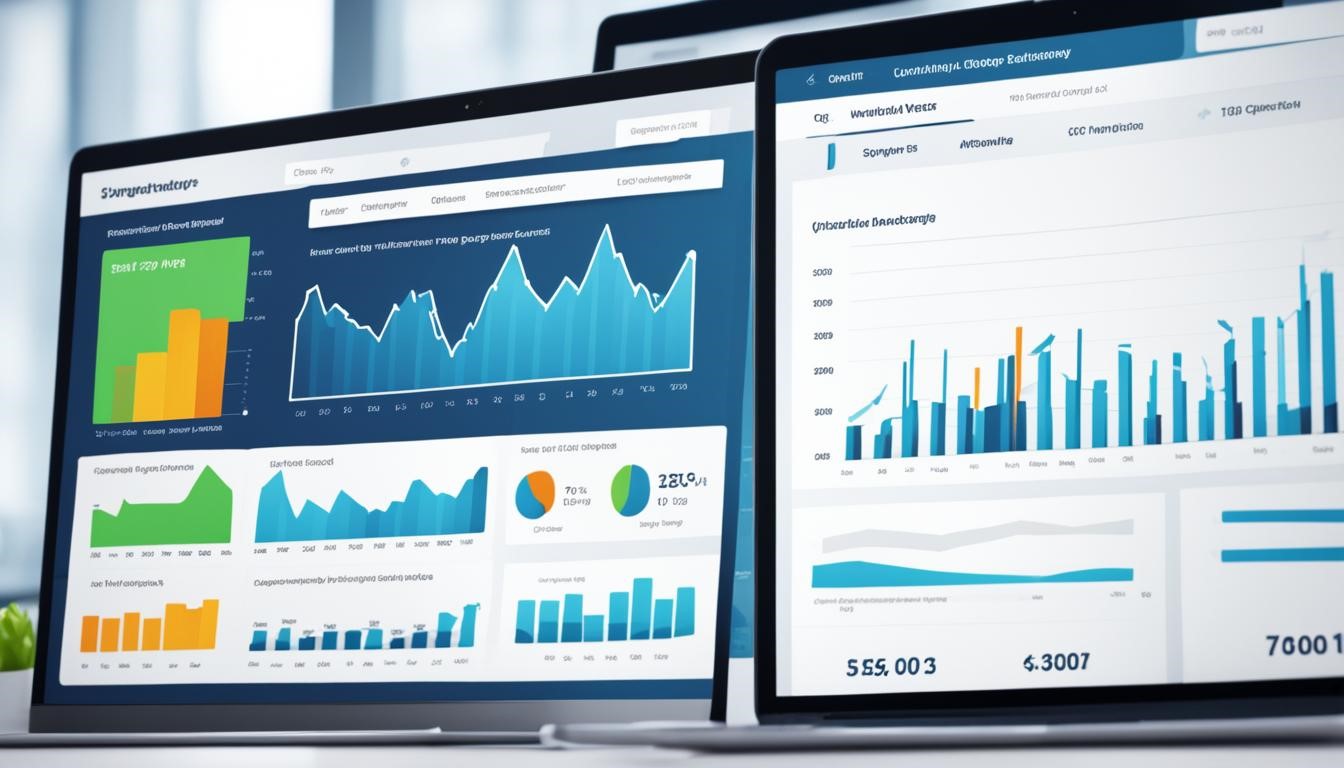
Choosing the best web hosting for small businesses means looking at customer support and pricing. Good support and clear pricing can greatly improve your website’s value and user experience.
Find web hosting providers with reliable web hosting customer support for small businesses. Quick help for technical problems is key to a smooth website. Check how fast they answer, their support channels, and the team’s knowledge.
When looking at web hosting pricing for small businesses, don’t just look at the price. Think about storage, bandwidth, domain registration, and extra services that might add to your costs.
By carefully checking customer support and pricing, you can ensure your small business website has reliable help and a good hosting deal.

This guide has given you the key factors to pick the best web hosting for small businesses. Think about what your website needs and look at the hosting options. Make sure to consider reliability, performance, customer support, and pricing.
When picking web hosting, ensure your site can handle your traffic and give users a smooth experience. Check the uptime guarantees, server locations, and load times of hosting providers. This ensures your site performs well.
Customer support is also crucial. Find web hosting that offers quick and knowledgeable help. This way, you can fix any problems fast. With the right hosting, your small business website will do great online and make your customers happy.
Finding the right expertise is key to growth and success as a business owner or manager. Hiring consulting recruiters can be tough. In this article, I’ll share the top challenges businesses face when hiring consultants. I’ll also offer tips to overcome these hurdles.
Managing the costs of hiring a consultant is tricky. It’s important to understand their pricing and negotiate fair rates. This ensures a good partnership.
Integrating a consultant into your team is another big challenge. It’s important to have good communication and regular meetings. This helps the consultant work well and stay accountable.
Finally, measuring the consultant’s success with clear goals is key. This helps justify the cost and make smart choices about working with them again.
Finding the right consultant is key to a business’s success. It’s important to know exactly what your company needs. Look for consultants with the right skills and experience to meet your goals.
Start by clearly defining your business goals and challenges. This will help you know what skills and expertise you need. Think about the project’s scope, timeline, and what you want to achieve.
After understanding your needs, check out potential consultants’ qualifications. Look for those with a strong track record in your industry or with similar projects. Check their portfolios, case studies, and client feedback to see what they can do for you.
| Expertise | Experience |
| Technical skills | Years of consulting experience |
| Industry knowledge | Successful client engagements |
| Problem-solving abilities | Relevant certifications or accreditations |
When hiring a marketing consultant, setting clear goals and expectations is key. This ensures your business needs match the consultant’s plans, leading to a successful partnership. I work with the consultant to set clear goals, timelines, and what needs to be done.
To start a strong partnership, I follow these steps:
By taking these steps, I ensure the consultant knows your business goals and can plan their strategies to fit them. This teamwork approach prevents misunderstandings, keeps expectations clear, and helps you get the desired results from hiring a marketing consultant.
| Objective | Key Metric | Target | Timeline |
| Increase brand awareness | Social media followers | 25% increase | 6 months |
| Boost lead generation | Monthly leads | 20% increase | 3 months |
| Optimize marketing campaigns | Campaign ROI | 15% increase | 4 months |
Consulting recruiting can be a big expense for businesses. It’s important to manage costs and budgets well. When hiring a consultant, consider different pricing models and negotiate fair rates. Make sure the rate matches the value the consultant will add to your company.
There are many pricing models for hiring consultants. You can look at hourly rates, daily rates, project-based fees, or retainer-based arrangements. Consider each model’s pros and cons to find the best one for your budget and project needs. Consider the consultant’s skills, the project’s complexity, and how long it will take when looking at pricing models.
After picking a pricing model, it’s time to discuss fair rates with the consultant. Check out industry benchmarks and compare rates to get a good deal. Be ready to explain the value the consultant will bring and how it fits with your business goals. Negotiating fair rates helps you stick to your budget and shows you’re serious about a successful partnership.
| Pricing Model | Advantages | Disadvantages |
| Hourly Rate | ● Flexible for short-term projects ● Easier to budget and track costs | ● Potential for scope creep ● Less incentive for efficiency |
| Daily Rate | ● Predictable for long-term projects ● Encourages efficient work | ● Less flexibility for short-term needs ● Potential for higher overall costs |
| Project-based Fee | ● Clearly defined scope and deliverables ● Incentive for efficiency | ● Difficulty in accurately estimating project complexity ● Potential for scope changes |
| Retainer-based | ● Consistent, predictable cash flow ● Access to consultant’s expertise on an ongoing basis | ● Potential for underutilization of consultant’s time ● Requires long-term commitment |

Ensuring they fit in with my team is key when I hire a consultant. Finding someone who fits well and works smoothly with others is important. The consultant can make a big difference and help the team work better.
Matching the consultant’s style and personality with our company’s culture is vital. I look for someone who can fit in easily and add to the team’s vibe. I check their communication style, how they make decisions, and their overall personality to find the best fit.
To check if someone fits, I use these steps:
I create a place of trust, open talk, and teamwork by ensuring the consultant fits well. This helps the consultant make a big difference in my company.

As a business owner, finding the right marketing consultant can change the game. But it’s a complex process. I follow a detailed process to pick the best consultant for my needs.
I start by listing the areas where I need help, like making a content marketing plan or improving my website for search engines. This helps me know what skills and experience I need as a consultant.
This detailed process helps me pick the marketing consultant to help my business grow and succeed.
| Criteria | Importance |
| Relevant Industry Experience | High |
| Demonstrated Expertise in Required Services | High |
| Alignment with Company Culture | Moderate |
| Competitive Pricing | Moderate |
| Availability and Responsiveness | High |
By looking at these factors, I can hire a marketing consultant who will help my business grow.
Working with a consulting professional requires good communication. As a business owner, I’ve found it key to set regular meetings and feedback. This keeps the consultant on track with my goals and updates me on their progress.
To keep communication strong, I have regular meetings with the consultant. These sessions let us check the project’s progress, discuss any issues, and adjust the plan as needed. This way, I know what the consultant is doing and can give feedback to keep the project moving.
At these meetings, we focus on a few important things:
Keeping communication open and regular makes the consulting process work better. It leads to better results for my business.
| Benefits of Regular Checkpoints | Challenges of Inconsistent Communication |
| ● Keeps the project on track ● Allows for timely feedback and course corrections ● Builds trust and transparency between the client and consultant ● Ensures the consultant remains aligned with the client’s objectives | ● Project delays or scope creep ● Misalignment between the client and consultant ● Increased risk of project failure or dissatisfaction ● Breakdowns in trust and communication |
When hiring consultants for my business, checking their performance is key. I set clear goals to track their progress. This helps me decide if we should keep working together.
The goals I pick depend on what I want from the consultant. For example, if they’re helping make my business run smoother, I’ll look at how efficient processes are, how much money we save, and how happy my team is. If they’re working on a new marketing plan, I’ll watch the website traffic, how many leads we get, and how many new customers we bring in.
Meeting regularly to review the consultant’s work lets me see if they meet my expectations. This way, I can change things if needed. It makes sure I’m getting the best from our partnership.
Smart companies use the latest AI tools to make things run smoother, improve customer experiences, and make better decisions. This guide looks at the top AI tools that can help businesses succeed in 2024.
With AI, companies can automate boring tasks, understand data better, and stay ahead of rivals. This article will cover the best AI tools for boosting productivity and improving customer experiences. It will show you how to take your business to the next level of efficiency and success.
AI is changing the game in business today. It’s making companies work better and grow. AI tools are changing many parts of businesses, like making things run smoother and improving how customers feel.
As AI becomes more important in business, it’s key to understand its big impact. Knowing how to use AI can help companies stay ahead.
AI tools use smart algorithms and learning machines to do tasks automatically. They help make sense of data and help with big decisions. This lets businesses work better, be more efficient, and understand their customers and operations better.
| AI Business Tool | Key Functionality | Benefits |
| Automated Invoicing System | AI-powered invoicing and billing automation | Reduced errors, improved cash flow management, and streamlined accounting processes |
| Predictive Sales Forecasting | AI-driven sales forecasting and pipeline management | Accurate revenue projections, optimized resource allocation, and data-driven decision-making |
| Intelligent Chatbots | AI-powered customer service and conversational interfaces | Improved customer satisfaction, 24/7 availability, and reduced operational costs |
In today’s fast-paced business world, using AI is key for making operations smoother and more productive. AI tools help automate tasks and optimize workflows, changing how companies work every day. Let’s look at some top AI tools that can make your business run better.
AI is changing business by automating processes. AI tools for business operations quickly and accurately do tasks that used to take a lot of time. This lets your team focus on big-picture tasks. These tools can automate many tasks, like data entry, processing invoices, and managing inventory.
AI doesn’t just automate tasks; it also makes workflows better. AI tools for automation look at your processes, find slow spots, and suggest ways to make things run smoother. They help with scheduling, task order, managing projects, and allocating resources, making your operations more efficient.
Thanks to AI, we now have tools that can change how businesses manage tasks. These best AI tools for business and AI tools for productivity automate tasks, help prioritize work, and improve teamwork. This lets employees focus on big-picture tasks and work more efficiently.
One top AI tool for productivity is smart task management software. It uses AI to look at workloads, find bottlenecks, and suggest ways to improve workflows. These tools automatically set priorities based on deadlines and resources, keeping teams on track.
AI chatbots are getting smarter, able to talk like humans, answer quickly, and give personalized help. By adding these smart virtual helpers to their teams, companies can offer help at any time, make things faster, and make customers happier.
Using AI tools for customer experience, companies can make customers happier, keep them coming back, and grow their business.

As more companies use AI chatbots for business, those that adopt this new tech will be ahead in giving great customer experiences and beating the competition.
AI can quickly go through huge amounts of data, finding patterns and oddities that are hard to spot by hand. This means businesses can understand their customers and the market better. They can see how their operations work and what their customers like.
| AI Tool | Key Capabilities | Industry Applications |
| Microsoft Power BI |
|
|
| Tableau |
|
|
| Google Cloud Dataprep |
|
|
Using AI tools for data analysis and AI tools for business intelligence helps businesses make better decisions. They can predict market trends and know what customers want. This lets them stay ahead, find new chances, and avoid risks.
AI is a big deal in marketing because it makes ads hit the mark. It looks at lots of data to send ads that speak to people. This means businesses can spend their ad money wisely, get better results, and make more sales.
AI also helps make ads that change to fit what people like. This makes customers happier and helps ads work better. It leads to more loyalty and a better return on investment.
AI is a big help in sales too. It can do things like sort leads, group customers, and send out messages. This lets sales teams focus on big tasks. With AI, sales processes get smoother, more leads turn into customers, and businesses learn what customers want.
AI chatbots and virtual assistants also make customers happier by offering quick, personal help. This can lead to more sales and stronger customer relationships.
| AI Tool | Key Features | Benefits |
| Salesforce Einstein |
|
|
| HubSpot Marketing Hub |
|
|
AI tools for cybersecurity also make security tasks automatic. This includes checking for weaknesses, updating software, and handling security incidents. This lets security teams focus on big-picture tasks. It saves money and makes managing risks better for businesses.
AI also helps with risk management. It makes dealing with rules, finding risks, and making decisions easier. These tools spot weak spots, look at risk factors, and suggest how to fix them. This helps businesses make smart, data-based choices.
The future of AI in business looks exciting. Experts say AI will change many industries, from healthcare to finance. New tech in areas like understanding language, seeing images, and predicting trends will help businesses work better. They’ll make smarter choices and give customers what they want.

AI business tools have changed the game for companies big and small. They help make operations smoother, improve customer experiences, and boost cybersecurity. AI is now key to doing well in business today.
The best AI tools for business can change how companies tackle problems and open new growth paths. By keeping up with the latest AI tech, businesses can get ahead, work better, and give their customers more value.
In fast-paced digital marketing, one trend stands out for its potential to revolutionize how we interact with technology: voice search. With the proliferation of voice-activated devices like Amazon Alexa, Google Assistant, and Apple’s Siri, consumers increasingly turn to voice search for their queries.
This shift necessitates a new approach to SEO, aptly named Voice Search Optimization (VSO). Understanding and implementing VSO can significantly enhance your online visibility and overall SEO strategy.
Voice search allows users to speak their queries into a device instead of typing them into a search engine. This technology is embedded in smart speakers, mobile devices, and even household appliances, making it a convenient tool for users.
For instance, instead of typing “best Italian restaurant near me,” a user might ask, “Where’s the best Italian restaurant nearby?” The convenience and speed of voice search are driving its popularity.
Statistics highlight this trend. According to a study by Juniper Research, the number of voice assistants in use is expected to reach 8 billion by 2023. Additionally, ComScore predicts that 50% of all searches will be voice searches by 2024. These figures underscore the urgency for businesses to adapt their SEO strategies to include voice search optimization.
Natural Language Processing (NLP) is a branch of artificial intelligence that helps machines understand and respond to human language meaningfully and usefully. NLP is crucial for voice search because it enables devices to interpret the conversational queries that users are likely to make.
Voice searches tend to be longer and more conversational than text searches. For example, instead of typing “weather New York,” a user might say, “What’s the weather like in New York today?” This difference necessitates a shift in how businesses approach keyword research and content creation.
To optimize for voice search, consider these tips:
Long-tail keywords are longer and more specific phrases that users are likelier to use when speaking into a device. These keywords often have lower competition and higher conversion rates.
Fast-loading pages are crucial for a good user experience and are a ranking factor for both traditional and voice searches.
FAQ pages are highly effective for voice search because they directly answer common questions.
Voice search is often used for local searches, such as finding nearby businesses or services.
Featured snippets are short pieces of text that appear at the top of Google’s search results, often in response to a question. They are a prime target for voice search results.
Ensure your website is mobile-friendly, as many voice searches are conducted on mobile devices.
Schema markup helps search engines understand your content better and can improve your chances of appearing in voice search results.
Security is a crucial factor for both users and search engines.
To determine the effectiveness of your voice search optimization efforts, use the following tools and metrics:
Voice search optimization is no longer a future consideration but a present necessity. As the use of voice-activated devices grows, businesses must adapt their SEO strategies to stay competitive. By understanding natural language processing, focusing on long-tail keywords, improving page load speed, creating FAQ pages, leveraging local SEO, and aiming for featured snippets, you can effectively optimize your website for voice search.
Utilize these strategies to enhance your online presence and meet the evolving needs of your audience. The future of search is here, and it speaks.